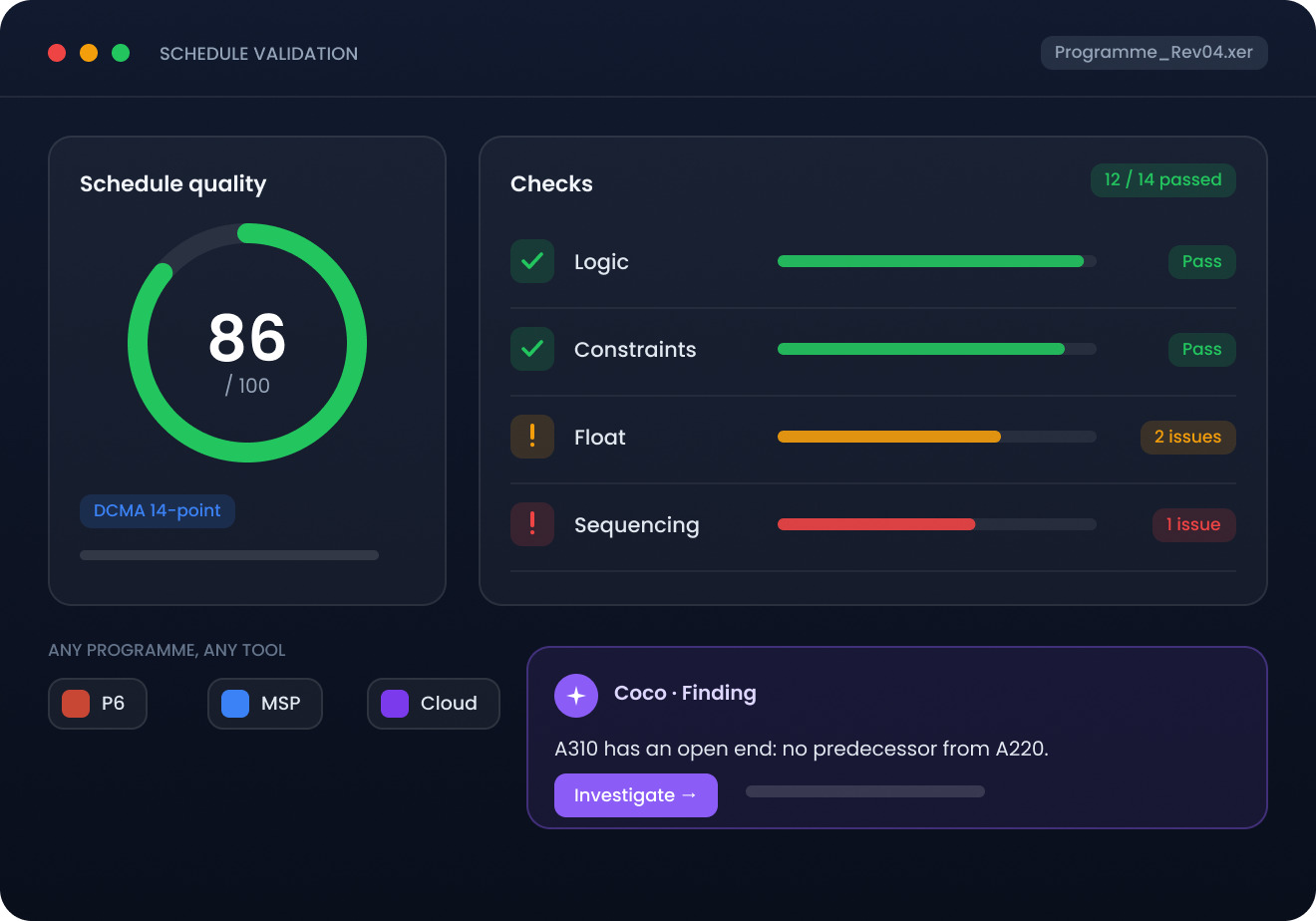
Construction schedule validation software — check logic, constraints, float and sequencing on any programme, whoever built it and whichever tool it came from.
A programme is usually reviewed properly only once something has already slipped. ConstructMind AI checks it before the baseline is set, and again every time it changes.
01
Bring the Schedule
Import a P6, Microsoft Project or Primavera Cloud file as-is, or check a programme built in ConstructMind.
02
Run the Checks
Resource calendars that contradict activity durations or fixed project milestones.
03
Sequencing Issues
Coco explains each finding in plain language — the activity, the issue and why it matters, rather than a flag on a list.
04
Fix and Re-run
Resolve what matters, dismiss what does not, and re-check until you have a programme your planners will defend.
VALIDATION INTELLIGENCE
What ConstructMind checks - automatically.
ConstructMind AI runs the checks and explains what it finds. Your planners and project teams stay in control of the programme they baseline.
Logic Gaps
Activities with no predecessor or successor, breaking the critical path.
Calendar Conflicts
Resource calendars that contradict activity durations or fixed project milestones.
Sequencing Issues
Finish-to-start relationships that do not reflect how the work is physically built.
Constraint Validation
Hard constraints overriding logic, creating artificial float or negative float.
Float Exposure
Activities running on dangerously low float that are not yet on the critical path.
Baseline Readiness
An overall programme health score before the baseline is established.
Bring a real programme.
Not a sample project.
Discover how AI-powered project intelligence can help your team plan validate and manage complex construction programmes with greater confidence.